Table of Contents
Vehicle scanners, ADAS diagnostic tools, calibration software, oscilloscopes, network analyzers—there are a lot of tools involved in modern vehicle diagnostics and repairs. Some read codes. Some help identify calibration requirements. Others help technicians understand how different systems communicate.
For shops working on ADAS-equipped vehicles, knowing the difference matters. Traditional scan tools are useful for identifying faults in standard vehicle systems like the engine, transmission, emissions, ABS, or airbags. Not so much for identifying calibration issues.
Let’s unpack the difference between traditional scan tools and ADAS diagnostic software so you can better understand what each one does and how they fit into the modern collision repair process.
What scan tools do
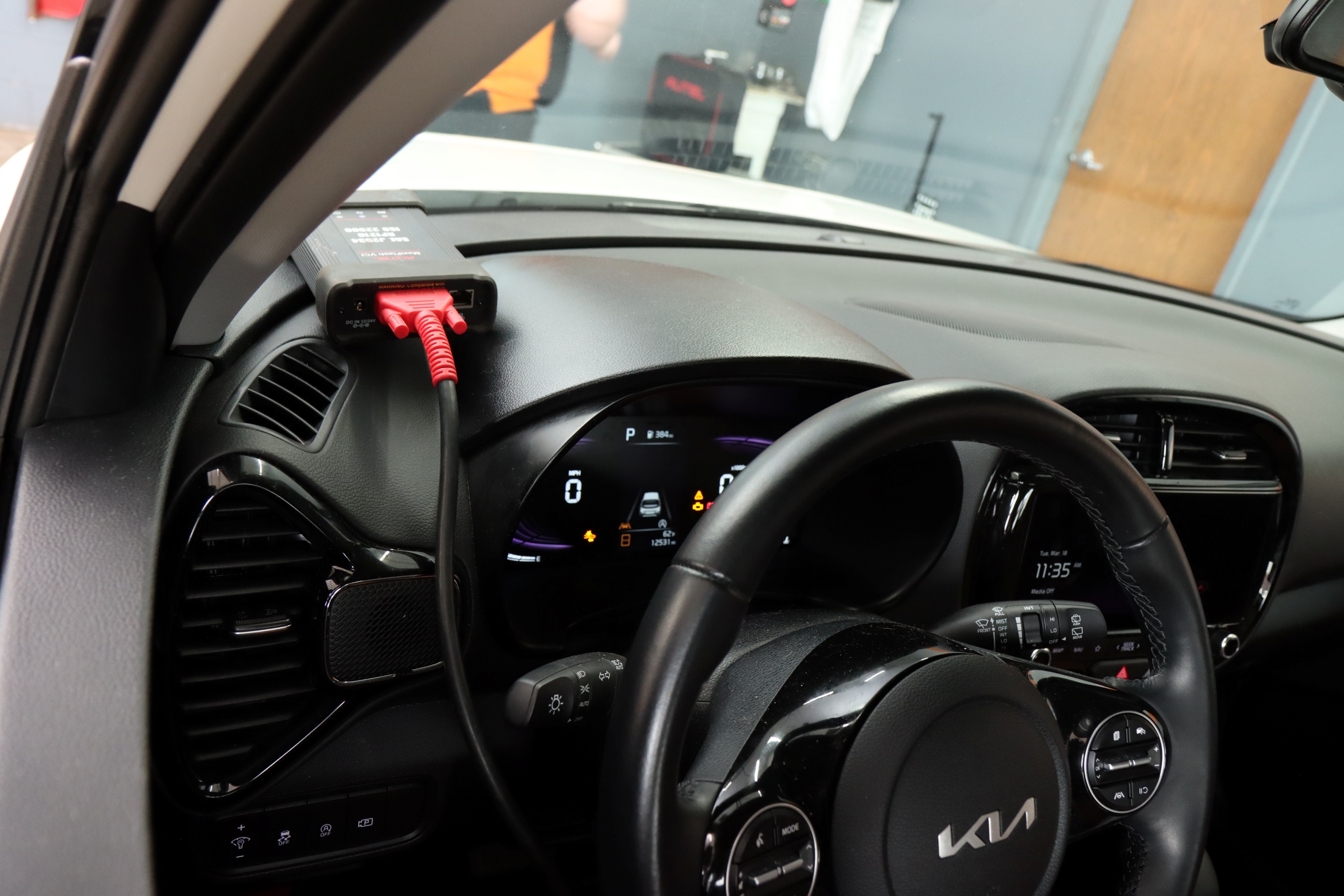
A scan tool is a diagnostic device that connects to a vehicle through the OBD-II port or a manufacturer-specific diagnostic interface to communicate with electronic control units. It reads vehicle-reported data from control modules, including diagnostic trouble codes (DTCs), system status, and module communication information.
For traditional vehicle diagnostics, this is extremely useful. If the check engine light is on, a scan tool can point the technician toward a misfire, sensor issue, or emissions fault. Depending on the tool, it may also access systems like ABS, airbags, body control modules, or other electronic systems.
Scan tools are also a key part of the pre-scan and post-scan process. A pre-scan documents the vehicle’s condition when it comes in. A post-scan shows the vehicle’s condition after the repairs have been completed. Both scans provided an important collision repair record for technicians, customers, and insurers.
But a scan tool is mainly reporting what the vehicle is telling you. It may show a DTC, but it doesn’t always tell you whether that code affects calibration readiness, whether the ADAS system is enabled, or whether another module is causing the issue.
That is where ADAS diagnostic software becomes useful.
What ADAS diagnostic software does
ADAS diagnostic software helps shops understand the repair and calibration requirements behind modern driver assistance systems.
The need for such tools is growing fast. According to S&P Global, the number of vehicles without any ADAS features is projected to drop from 157 million to just 60 million by 2035. At the same time, our data shows that 44% of vehicles entering shops today already have ADAS systems that may require calibration—a share that will only increase as newer vehicles enter the repair market.
So as more vehicles come into the shop with cameras, radar, blind spot sensors, and driver assistance features, technicians logically need more advanced diagnostic tools.
Here’s a practical example. A single feature like autonomous emergency braking may involve a front radar sensor, forward-facing camera, steering angle sensor, wheel speed sensors, braking system data, and multiple control modules. If one sensor is misaligned, one module isn’t communicating, or one calibration is missing, the whole feature can be affected.
Furthermore, ADAS diagnostic equipment can help identify:
- Which ADAS systems are on a specific vehicle
- What components are involved
- What calibrations may be required
- What procedures need to be followed
In many workflows, it also helps interpret scan results so technicians can understand whether a DTC is relevant to the repair, whether it may block calibration, or whether it points to another issue that needs to be resolved first.
Why scan interpretation matters
One of the biggest workflow issues in ADAS repair is treating the scan as a paperwork exercise instead of diagnostic information. But a scan is more than a box to check. It’s part of understanding whether the vehicle is actually moving toward system readiness.
For ADAS jobs, admittedly, not all DTCs matter in the same way. Some are historical. Some are unrelated to the current repair. Some are active faults that need to be addressed before calibration. Others may act as calibration blockers, meaning they can prevent the calibration from completing or stop the system from enabling afterward.
Unfortunately, clearing codes without interpretation doesn't make those issues go away. The scan may look clean for a moment, but if the root cause is still there, the code can come back during calibration, during the road test, or after the customer leaves.
ADAS diagnostic software helps connect the dots between DTCs and the repair context, the affected ADAS features, and the calibration requirements. It helps answer the question technicians actually need answered: can this vehicle be calibrated reliably, or is something still wrong?
What happens when shops rely on traditional scanners only
Accuracy is the name of the game in ADAS diagnostics, and a traditional scanner can only take you so far.
Yes, it can show whether the fault codes are present, but it won’t tell the full ADAS story. Generic or older scanners can miss which ADAS features are actually equipped on the vehicle or overlook calibrations that are required because of the repair, not because a fault code was triggered.
That last point is important. Not every required calibration comes with a warning light or stored code. A windshield replacement, bumper removal, suspension repair, or alignment may trigger an OEM calibration requirement even if the scan looks clean.
So the vehicle may appear ready to deliver. The scanner shows no active faults. The dash is clear. But the required calibration never happened.
And in ADAS repair, nothing trumps knowing the actual OEM requirements tied to the repair. Depending on the system affected, a missed calibration can become a safety issue, a liability issue, or a customer complaint when the driver notices the feature doesn’t work correctly. In many cases, it can be all three.
Ultimately, you need both!
Scan tools and ADAS diagnostic software aren’t either-or tools. In a proper ADAS workflow, you need both.
The scan tool gives the technician the starting point. It pulls DTCs, shows which modules are reporting faults, captures pre-scan and post-scan data, and helps confirm whether codes are active, stored, or returning after repairs. In other words, it tells you what the vehicle is reporting.
ADAS diagnostic software, on the other hand, helps turn that information into a repair plan. It connects the scan results to the actual repair context: the VIN, the ADAS features on the vehicle, the work being performed, and the OEM calibration requirements that may apply.
That doesn’t make scan tools less important. They’re still essential for reading codes, documenting conditions, and verifying repairs. But ADAS systems introduce a different level of complexity because they rely on interconnected components. Therefore, you need more advanced tools to manage that complexity and make the right calibration decisions.
The bottom line
A complete ADAS repair requires a combination of scan tools and diagnostic software, as well as the right information supporting it. Having access to current manufacturer procedures, calibration requirements, and repair specifications is just as important as having the right scanners and testing tools in the bay.
Revv helps repair shops by providing instant access to VIN-specific ADAS requirements and calibration procedures. Once you identify what repairs need to be done with diagnostic scanners, Revv can help you determine which ADAS calibrations will be needed.
Book a demo today to see how Revv helps your shop identify the ADAS procedures tied to each repair, document them, and bill for them with confidence.